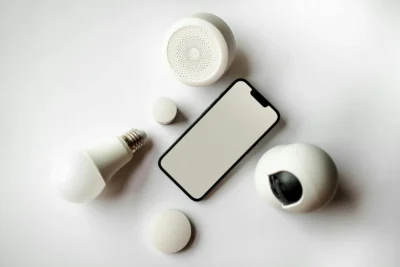
Why Smart Home Security Cameras Are Helpful for Seniors
Smart home security cameras can make life easier, safer, and more comfortable—especially for seniors living alone or wanting extra peace of mind. These cameras let you see what is happening around your home at any time, even when you are away. Many models offer simple alerts, clear video, and easy controls you can use on a smartphone or tablet.
While security products used to be confusing or expensive, today’s smart cameras are far simpler and more affordable. This guide will walk you through how they work, how to choose the right one, and how to use them safely without stress.
Understanding How Smart Cameras Work
A smart security camera connects to your home’s Wi-Fi and sends live video to your smartphone, tablet, or computer. This means you can check your home from anywhere—whether you are in the next room or on vacation.
Main Features You Should Know
- Live video streaming: See what’s happening in real time.
- Motion alerts: Get a notification when something moves.
- Two-way audio: Speak and listen through the camera.
- Night vision: Clear video even in low light.
- Video recording: Save important moments automatically.
- Simple apps: Control everything from your phone.
Choosing the Right Smart Security Camera
Not all cameras are the same. The best camera for seniors should be easy to install, simple to use, and reliable. Before buying, consider the following:
1. Ease of Setup
Look for devices labeled “easy installation” or “plug-and-play.” These usually require only a power outlet and a Wi-Fi connection.
2. Clear Video Quality
Choose a camera with at least 1080p HD video. This ensures you can see faces, packages, or pets clearly.
3. A Simple Mobile App
Check photos or videos of the app ahead of time. Look for large buttons, simple menus, and clear labels.
4. Good Customer Support
Brands like Ring, Nest, Arlo, Blink, and Eufy offer strong support and easy-to-follow instructions.
5. Subscription Costs
Some cameras record video for free. Others require a small monthly fee. Make sure you know what you are paying for.
Where to Place Your Cameras
Proper camera placement makes a big difference in home safety. Here are the best spots for most homes:
- Front door: The most important location. This lets you see visitors, deliveries, and activity.
- Back door or side entrance: Another common entry point.
- Living room or hallway: Great for watching pets or inside movement.
- Garage area: Helpful if you store valuables.
Avoid placing cameras where they invade someone’s privacy—such as bathrooms or bedrooms.
How to Set Up Your Camera
Even if technology feels intimidating, most smart cameras are easier than they look. Follow these steps:
1. Plug in the Camera
Connect it to a power outlet. Some models may operate on batteries.
2. Download the App
Search for the manufacturer’s app in the Apple App Store or Google Play Store. Some common examples include:
- Ring app
- Google Home app
- Arlo app
- Blink Home Monitor
3. Create an Account
You may need an email address and a password. Choose a strong password or use a password manager if possible.
4. Connect to Wi-Fi
The app will guide you through connecting the camera to your home network. This usually takes less than two minutes.
5. Test Your Camera
Open the app and look at the live video feed. Walk in front of the camera to make sure motion alerts work properly.
Using Your Camera Day to Day
Once everything is set up, using your camera becomes simple. Here are a few ways seniors commonly use smart cameras:
Check Visitors at the Door
See who is there before you answer. This helps prevent scams or unwanted solicitors.
Monitor Deliveries
Cameras help you track packages and reduce porch theft.
Look in on Your Home While Traveling
Open the app anytime to check that everything is secure.
Stay Connected with Family
Some seniors use indoor cameras to share pet moments or check that everything is okay when they are home alone.
How to Stay Safe and Protect Your Privacy
Smart cameras should make you feel safer—not more worried. Follow these tips for privacy and security:
- Use strong passwords for your camera account.
- Enable two-factor authentication if the app offers it.
- Keep the camera’s software updated—the app will notify you if needed.
- Only share camera access with trusted family members.
- Never place cameras in private areas inside your home.
When to Ask for Help
If setup feels overwhelming, ask a trusted family member or a local tech support service for assistance. A technician can help install the device, organize your app, and walk you through the basics.
Remember: You are not alone. Many seniors use smart cameras daily, and with the right support, they can be a simple and powerful tool for your safety and peace of mind.